AI-Enabled Insights in Accelo Projects
Accelo uses Artificial Intelligence (AI) to help you proactively manage projects by identifying risks and recommending the best people for the job.
These insights are powered by models trained on historical task data and refined using your company’s data.
How Accelo AI Works
Accelo’s AI models:
- Learn from completed tasks and logged time
- Identify patterns in task performance and assignments
- Continuously improve with retraining every 2 weeks
The accuracy of AI insights depends heavily on the quality and consistency of your data.
Task Overrun Alerts
What It Does
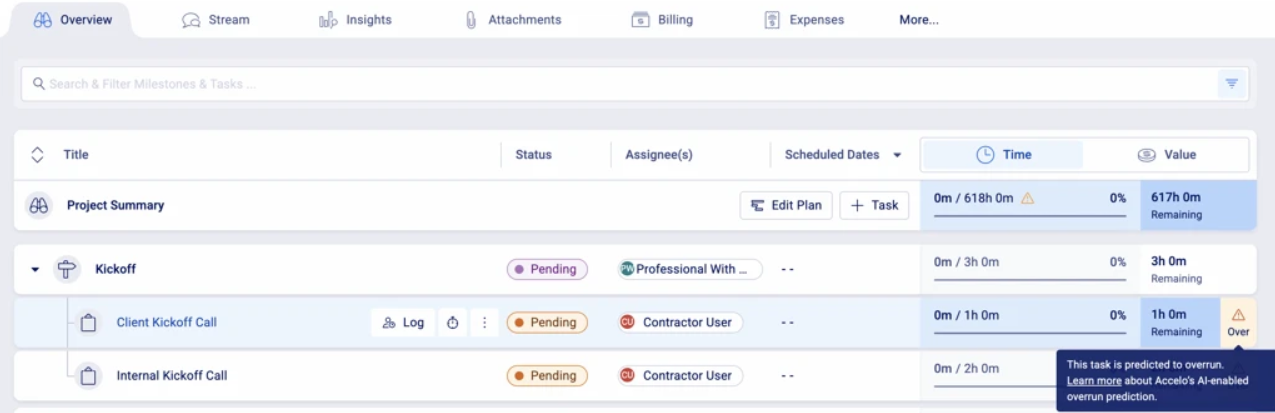
Task Overrun Alerts identify tasks that are at risk of exceeding their estimated time or duration.
These alerts appear on the Project Overview to help you take action early.
How It Works
Each task is evaluated based on:
- Probability: Likelihood the task will exceed its estimate
- Confidence: Reliability of that prediction
An alert is shown when:
- Probability ≥ 65%
- Confidence ≥ 27%
Lower confidence thresholds are used to surface potential risks earlier.
What Data Is Used
The model evaluates:
- Task details (title, description, tags, skills)
- Project context (project name, manager)
- Scheduling (estimated vs actual dates)
- Time estimates and logged time
- Assignee attributes (skills, role)
Why You Might Not See Alerts
- Your deployment is new
- There is not enough high-quality historical data
- Task dates are frequently changed
How to Improve Results
To increase accuracy:
- Use consistent task naming and descriptions
- Maintain accurate estimates and due dates
- Apply tags and skills consistently
- Avoid frequently changing task dates
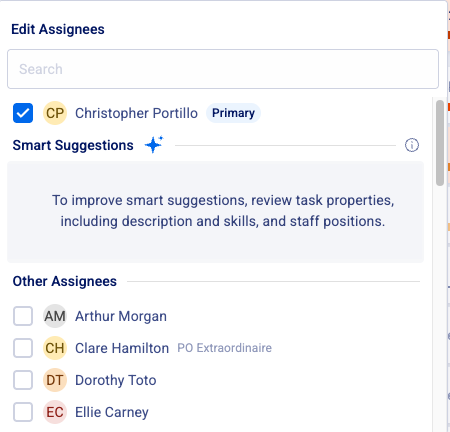
Task Assignee Smart Suggestions
What It Does
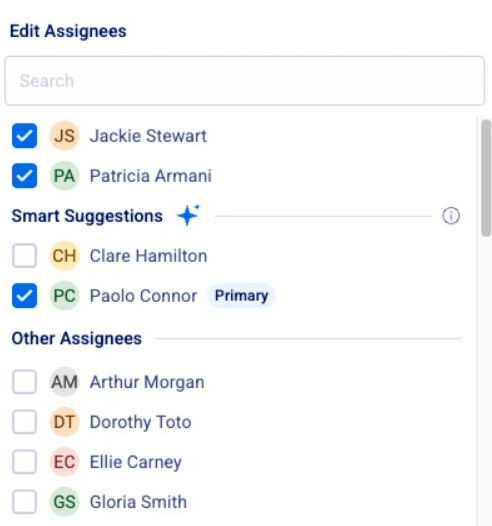
Smart Suggestions recommend the most suitable team members for a task based on past performance and task similarity.
Up to 5 suggestions may be displayed when assigning a task.
How It Works
Suggestions are ranked based on how closely a user matches a “successful assignee” profile.
Only suggestions with:
- Confidence ≥ 51%
will be shown.
Only active staff appear in the UI.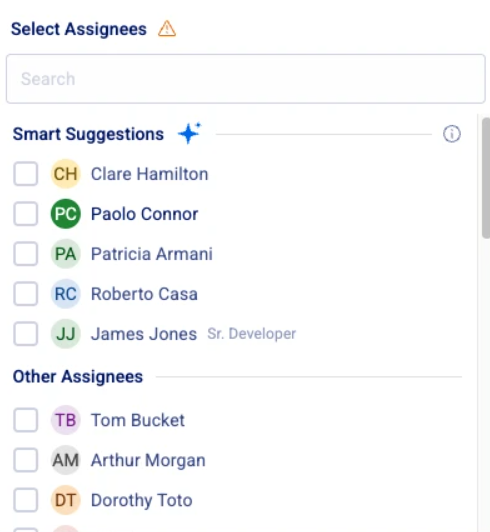
What Data Is Used
The model considers:
- Task attributes (title, description, tags, skills)
- Project context and timing
- Past task outcomes (on-time, within budget)
- Assignee attributes (skills, role)
Inactive users are included in training but excluded from suggestions.
Why You Might Not See Suggestions
- Your deployment is new
- Suggested users are inactive
- Confidence threshold is not met
How to Improve Results
To improve suggestion quality:
- Maintain consistent task structure (titles, tags, skills)
- Keep staff profiles updated (skills, roles)
- Ensure accurate task estimates and time tracking